
Live progress summary
Completion and active work update as tasks move, giving an always-current picture.
Features · Overview
Overview gives you a clear summary of progress, priorities, and blockers so you can understand status without digging through every task.
Progress, workload, and risks in one dashboard view for faster decisions.
Overview combines task completion, active work, and upcoming priorities so teams and stakeholders can align quickly.
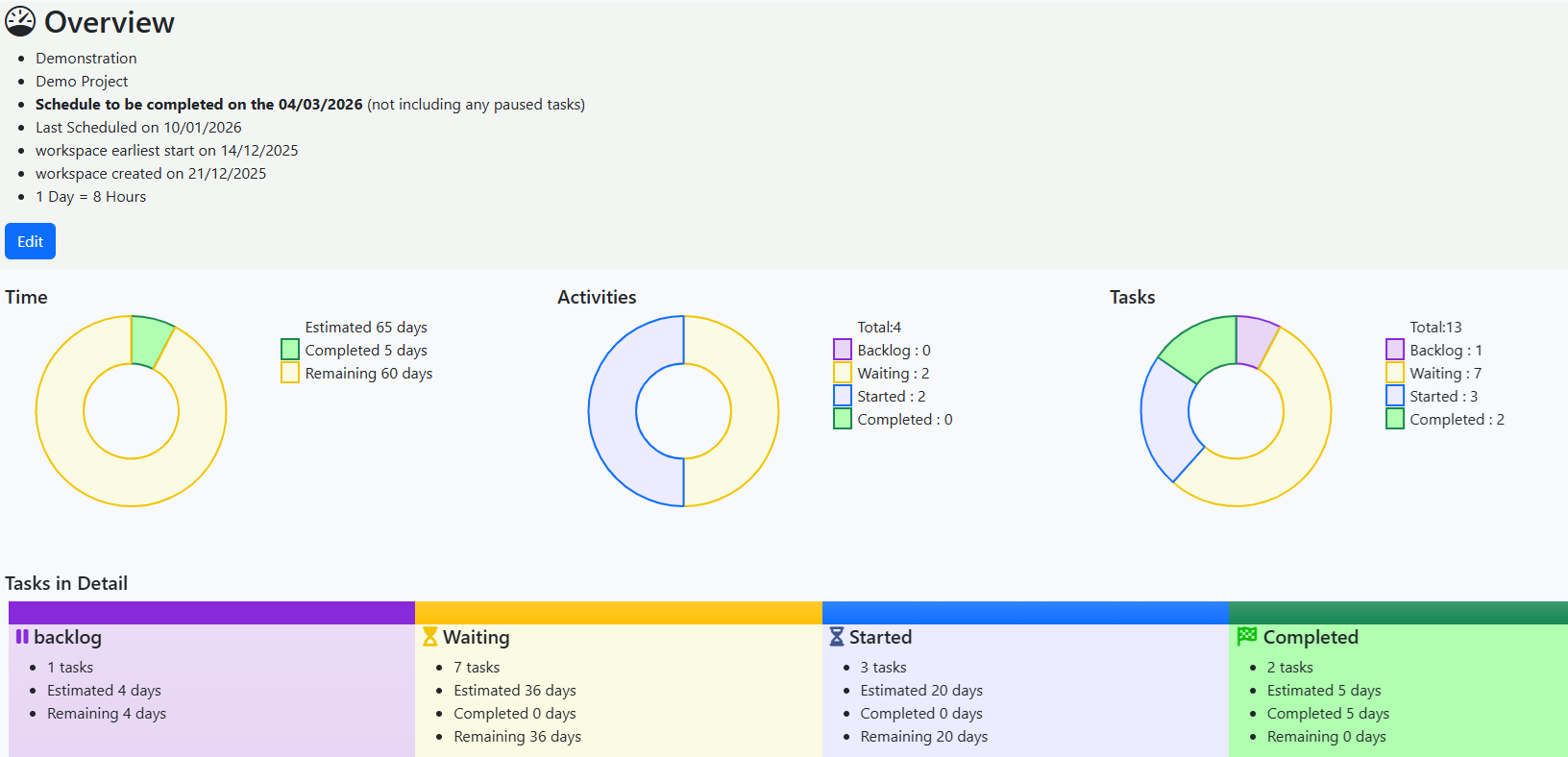
Completion and active work update as tasks move, giving an always-current picture.
Spot blocked, delayed, or overloaded work before it affects delivery dates.
Surface what matters now so teams can act on the highest-value tasks first.
Everyone works from the same status view, reducing confusion and status-chasing.
Step 1
Start with the headline metrics to understand overall project momentum.
Step 2
Check delayed or blocked work and identify where support is needed.
Step 3
Use the insight to guide team priorities and communicate clear updates.
Explore related workflow views or start a trial to see your own project overview in action.